

使われている?使われてない?を明らかに

Teamstudio Usageでは、どのデータベースとユーザーIDが使用されているか、
どれが使用されていないかを確認できます。
それを元に重要なものを保護し、不要なものを排除することができるようになります。

HCL Notes/DominoのDBの整理を検討する際、最も難しいのは「どのDBがまだ必要なのか?」です。

長年にわたり、Domino環境には、アクティブなアプリケーション・忘れ去られたデータベース、そして現在も必要かどうか不明な
ユーザーIDが混在して蓄積されます。それらの可視性がなければ、コストにも大きく影響するミスを犯すリスクがあります:

  • 使われていない資産の移行や継続 - 時間、費用、リソースの無駄遣い

  • システムに不可欠なアプリケーションやアカウントの廃止 - 必要な業務に支障が発生

Teamstudio Usageがどちらの問題も回避できる明確な指針を提供します。

Teamstudio Usageは、Domino環境が実際にどのように使用されているかを明らかにします。明確で正確なレポートにより、依然として重要なデータベースやユーザーIDと、安全に廃止できるデータベースやユーザーIDを区別できます。

 

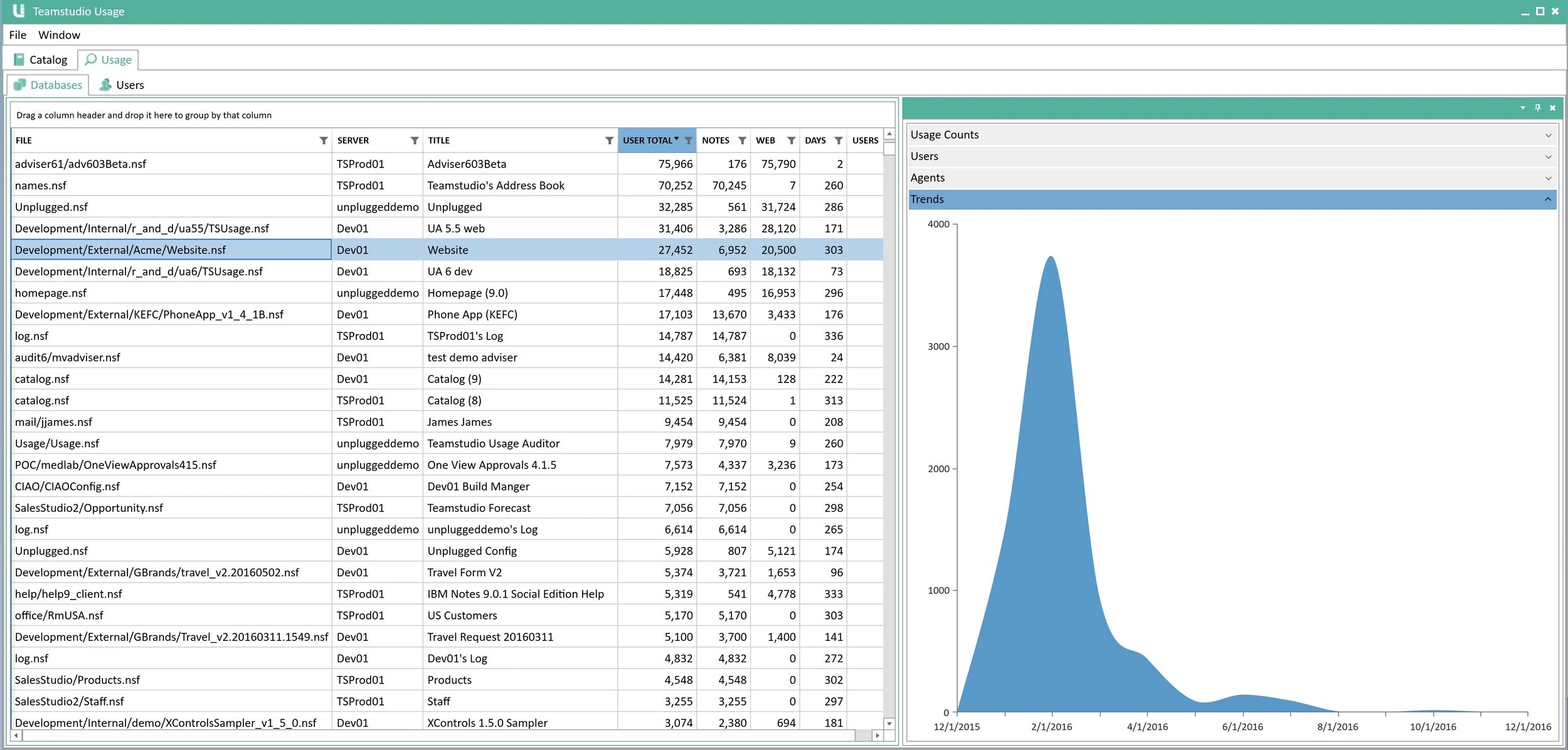
Highlight Active Databases

Confirm which applications people are still relying on so you can preserve business-critical systems.

User ID Analysis

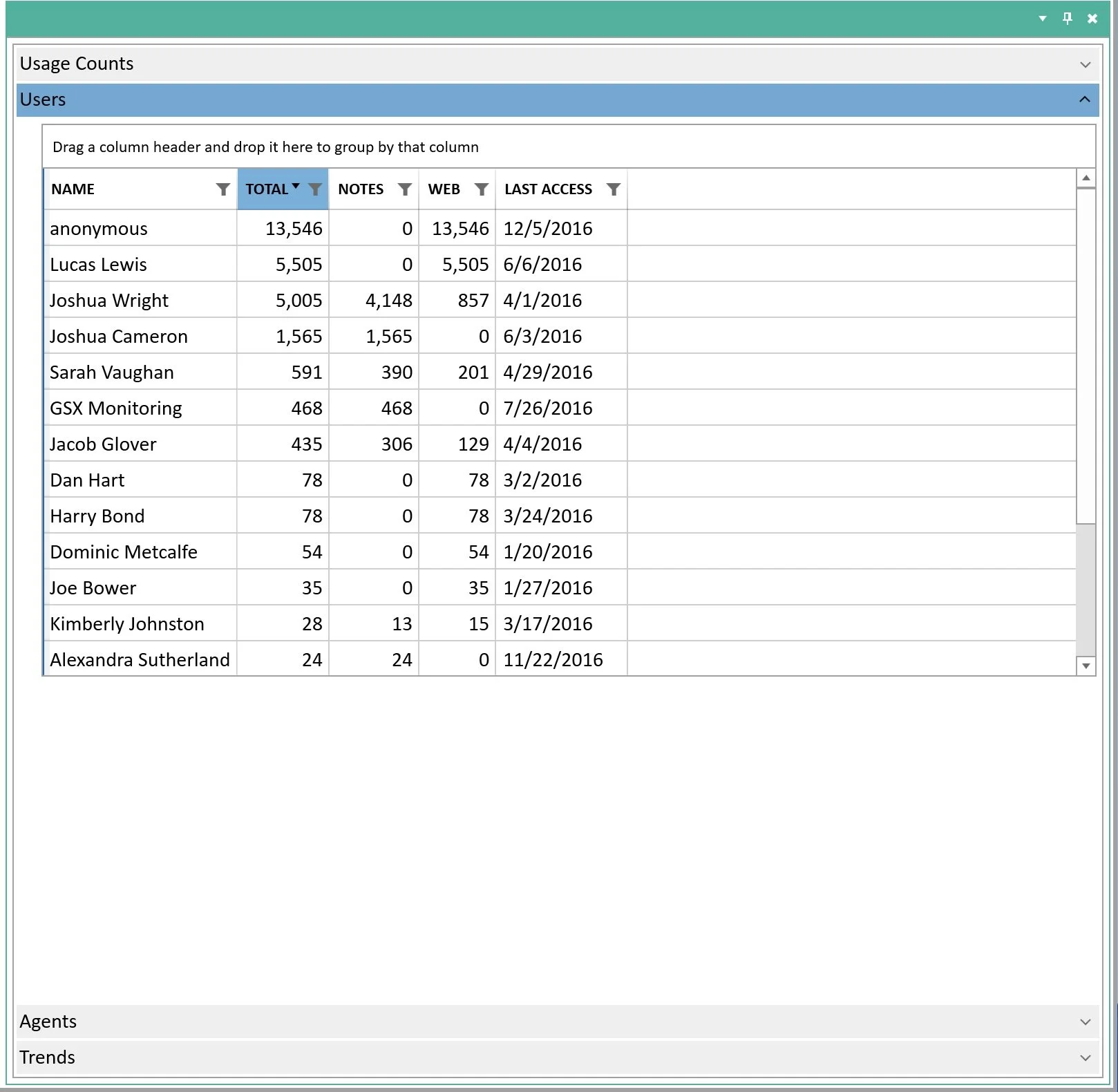
Identify inactive IDs to reduce your license spend.


Track Database Usage

Spot dormant databases that are adding cost without adding value.

Usage Trends Over Time

Track activity patterns to see whether an application’s importance is rising or falling. Then export your data as a report.
Simple Pricing. No Limits.

Teamstudio Usage is priced at $2,500 per workstation for a one-year subscription.

  • There are no limits on the number of HCL Notes/Domino servers you can analyze or the amount of data you can handle.
  • Pricing is available in USD, EUR, GBP, AUD or JPY.

Request a demo or free trial.

Contact us to see how Usage can work in your environment.

 From Insight to Action

Teamstudio Usage gives you a clear picture of your Domino environment. By tracking database and user activity, it quickly highlights what’s still in use - and just as importantly, what isn’t.

That visibility gives you confidence that critical applications won’t be overlooked or shut down by mistake. When you can prove exactly which databases people still rely on, you protect essential business processes while streamlining everything else.

How it Works

The product works by collecting usage data directly from your Domino servers and translating it into simple, actionable reports. You’ll see which databases are accessed regularly and which have been sitting untouched, along with trends that reveal whether an application’s usage is rising or falling. The same analysis applies to user IDs, making it easy to spot dormant accounts that should no longer be consuming license fees.

Why Teamstudio Usage?

This kind of intelligence has immediate benefits. Before a migration, for example, you can narrow the scope by identifying applications that are genuinely business-critical and focusing only on those. That reduces the size, cost, and complexity of your project while ensuring that nothing essential is overlooked. Outside of migration, the same visibility supports ongoing IT governance, server consolidation projects, and security clean-up - all grounded in facts rather than guesswork.

Usage and Export: The Perfect Pairing

Teamstudio Usage is designed as the natural precursor to Teamstudio Export. Usage tells you what matters, and Export gives you the tools to archive or migrate only the data you really need. Together, they provide a clean, cost-effective, and efficient path forward from Notes and Domino.

Ready to take control of your Domino environment?

Teamstudio Usage helps you confirm what matters - and clean up what doesn’t - before you archive or migrate. Contact us to request a demo or a free trial.

Trusted, since 1996.

We were there when you built your first Lotus Notes database application.
Count on us now as you move to what's next.

 Demo Video

Watch a short demo video to see how Teamstudio Usage helps you analyze your Domino environment to see which databases and user IDs are still in use, and which aren’t.